





































POST 5 — What Is WLED Firmware?
Meta Title: What Is WLED Firmware? Beginner's Guide | Chronos
Slug: /blogs/guides/what-is-wled-firmware
Meta Description: WLED explained for beginners: what it is, why it is free and open source, and why GLEDOPTO controllers ship with it pre-installed.
What Is WLED Firmware? A Non-Technical Introduction
You will see "WLED" in the names of most controllers in our range. This guide explains what it is, what it does for you, and why it is worth caring about.
WLED in one paragraph
WLED is free, open-source software that runs on the controller's ESP32 chip. It turns a small circuit board into a full lighting controller that you operate from a phone app or any web browser on the same network. Because it is open source, there is no licence fee, no account and no company server your lights depend on.
What WLED can do
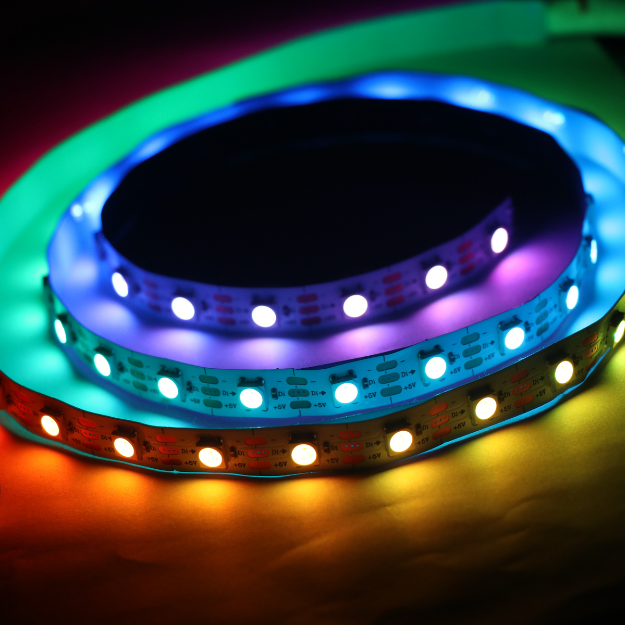
• 100+ effects: rainbow, fire, meteor, twinkle, colour wipe and many more
• Colour palettes: change how an effect looks without changing the effect
• Segments: divide one strip into independent zones with their own colours and effects
• Presets and playlists: save your favourite looks and cycle through them
• Scheduling: turn lights on, off or change presets at set times
• Music reactivity: on models with a built-in microphone
• Over-the-air updates: update firmware without opening the controller
• Integrations: Home Assistant, MQTT and HTTP API
Why pre-installed matters
On the GLEDOPTO WLED controllers, the official WLED firmware is already loaded. You do not have to flash anything or solder pins, which is the first obstacle people hit with bare ESP32 boards. Power it, connect to its WiFi, enter your home network details and start choosing effects.
Setting up WLED for the first time
1. Power the controller.
2. On your phone, join the WiFi network the controller creates (it appears as a WLED access point).
3. Enter your home 2.4GHz WiFi details when prompted.
4. Open the WLED app or the controller's IP address in a browser.
5. In LED preferences, set your LED type, pixel count and colour order if needed.
Details vary slightly by model, so check the included manual for your controller.
Why choose WLED over a cloud-based controller
• Local control: lights keep working if the internet is down.
• No subscription: nothing to cancel or lose access to.
• Longevity: the community keeps improving it.
• Flexibility: you can add sensors and switches through GPIO pins on many models.
Where WLED is not the answer
If your home already runs entirely on Tuya and you want everything in a single app, the Tuya-based GL-SPI-206W is a better fit than a WLED controller.
WLED terms in plain English
• Effect: an animated pattern, such as a rainbow or a chase.
• Palette: the set of colours an effect uses.
• Segment: a section of the strip that can have its own effect.
• Preset: a saved look you can recall with one tap.
• Playlist: a list of presets that cycle on a timer.
• Schedule: a rule that runs a preset at a set time.
Learn these six words and the WLED interface makes sense.
Phone app or web browser?
You can control WLED from the mobile app or from any web browser on the same network. The browser gives you the full settings pages. The app is quicker for everyday changes. Many people use both.
Updating WLED safely
Before you update the firmware, download a backup of your presets and configuration. Update over the air from the Security and Updates page, using a build that matches your board. After updating, check the LED settings and your presets. Keep the same version across controllers that are synced, where possible.
Backing up your work
WLED lets you download your presets and configuration as files. Save them with the controller's name and the date. If you ever reset the controller, you can restore your set-up in minutes.
Who WLED suits
WLED suits people who want control over their lighting without a subscription: home users, decorators, cafés and installers. It does not require an account or a cloud service, and it keeps working when the internet is down. If you prefer a guided app with minimal settings, a Tuya-based controller may feel simpler, but you will give up depth.
Frequently Asked Questions
Is WLED really free?
Yes. It is open-source software and does not require a subscription or account.
Do I need to know how to code?
No. WLED works through an app and a web interface. Coding is only needed if you want to build custom firmware.
Can WLED control normal RGB strips?
WLED itself supports both addressable and PWM strips, but the strip type must match the controller's outputs. See our SPI vs PWM guide.
Related guides
- What Does "Addressable" Mean in LED Strips?
- How to Use WLED: Presets, Playlists, Schedules and Segments
- WLED vs Tuya vs Standard RGB Controllers
- ESP32 vs ESP8266 for LED Controllers
- How Many LEDs Can My Controller Handle? Pixel and Power Math
CTA: See every WLED-ready GLEDOPTO controller in stock.