






Interior & Architectural Lighting

Premium Lighting for Modern Spaces

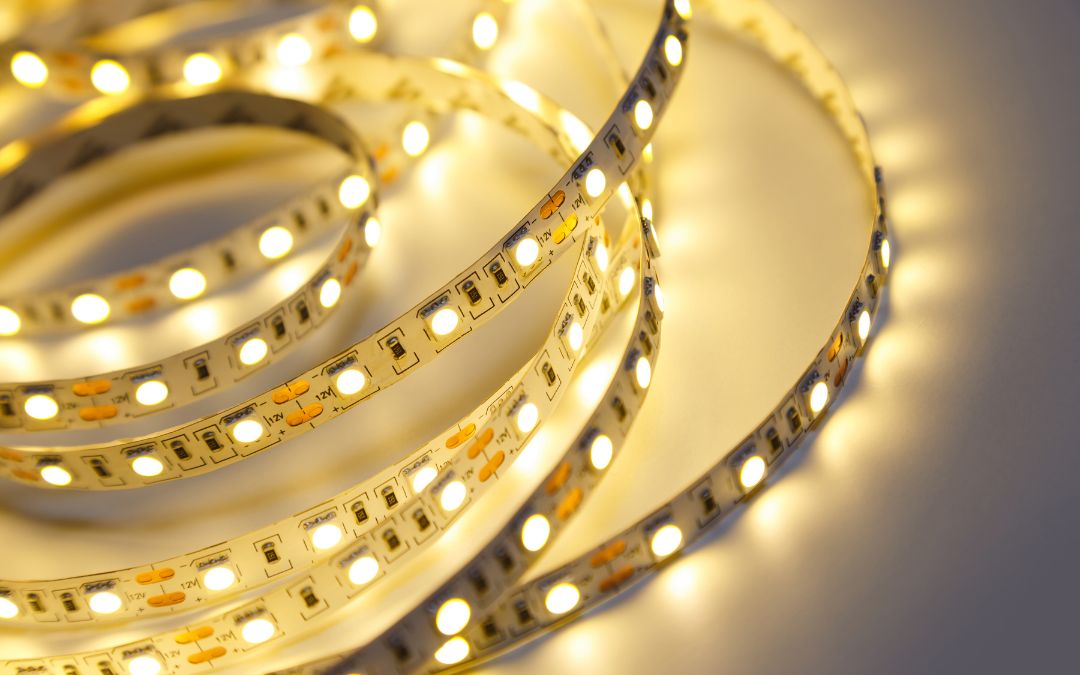
High-CRI architectural LED lighting for homes, hotels, retail stores, offices & luxury interiors — designed for seamless illumination and lasting performance.

  • 90+ CRI Premium LEDs
  • Dotless COB Illumination
  • Architectural Grade Quality
  • Custom Project Support
  • PAN India Delivery

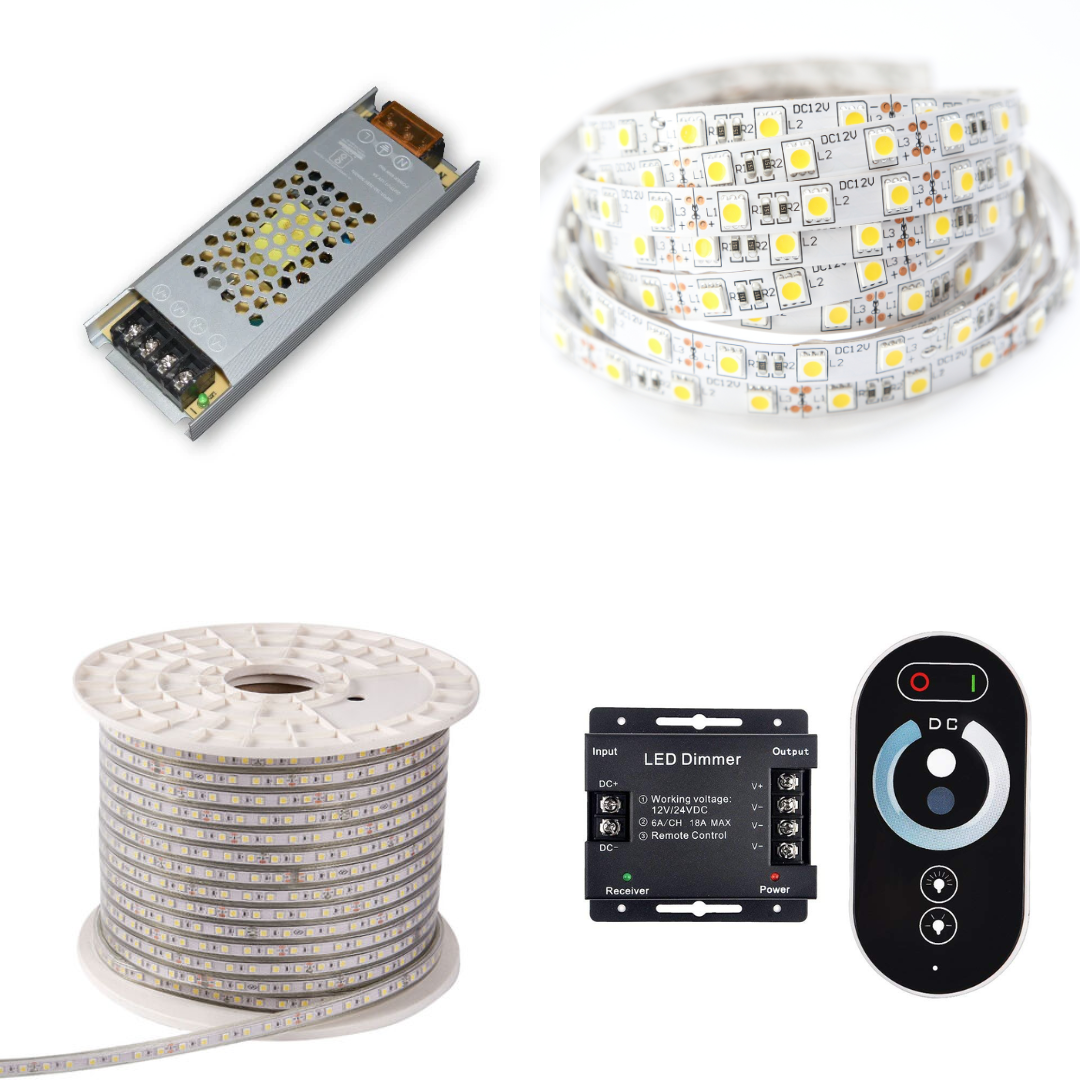
Not sure which lighting is right for your space? Our experts help you choose the perfect strips, profiles, drivers & configurations.

The Transformation

See What Architectural Lighting Actually Does

Drag the slider to reveal the before and after. Same room, same furniture — the only difference is Chronos architectural LED lighting.

Before: a living room lit by standard ceiling lights — flat, functional, no atmosphere. After: the same room with Chronos COB strip lights installed in a ceiling cove, producing a warm indirect glow that adds depth and luxury. Use arrow keys on the handle to adjust the comparison.

Living Room · Cove Lighting

COB strip in ceiling cove, 2700K, dimmed to 40%. The room went from flat overhead lighting to a warm, layered glow. Same furniture, same paint — entirely different atmosphere.

  • COB Strip 2700K
  • Recessed Cove Profile
  • 24V 100W Driver
  • RF Dimmer
Shop Cove Lighting

Before: a kitchen where the worktops are in shadow from overhead ceiling lights. After: the same kitchen with Chronos slim COB strips installed under the wall cabinets, illuminating the worktops with clean, bright 4000K light. Use arrow keys to compare.

Kitchen · Under-Cabinet

Slim COB strip under wall cabinets, 4000K, front-edge mounted. Worktops went from shadowed to brilliantly lit. CRI 92 — food looks the way it should.

  • Slim COB 4000K
  • Under-Cabinet Profile
  • 12V Driver
  • Inline Switch
Shop Kitchen Lighting

Before: a bedroom with standard overhead lighting — bright and functional but with no atmosphere. After: the same bedroom with Chronos warm white COB strips behind the headboard creating a soft, hotel-quality ambient glow. Use arrow keys to adjust the comparison.

Bedroom · Headboard

COB strip behind the headboard, 2700K, 20% brightness. The bedroom went from a plain sleeping room to a hotel-quality sanctuary.

  • COB Strip 2700K
  • Surface Profile
  • 12V Driver
  • Touch Dimmer
Shop Bedroom Lighting
Where to Use

Light Every Space Beautifully

Architectural lighting is not a product — it is a system. See how Chronos components work together in every application.

Cove Lighting

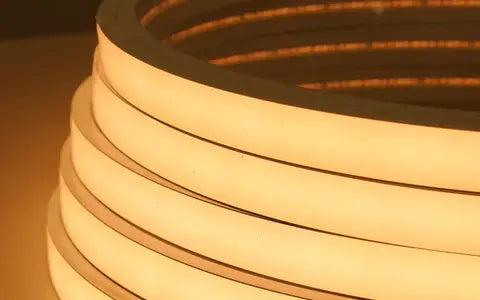
The most-requested architectural technique. COB strips mounted in a ceiling cove wash the surface with seamless, dot-free indirect light that makes any room feel taller and more luxurious.

What you'll need:

  • COB Strip Light — 2700K or 3000K
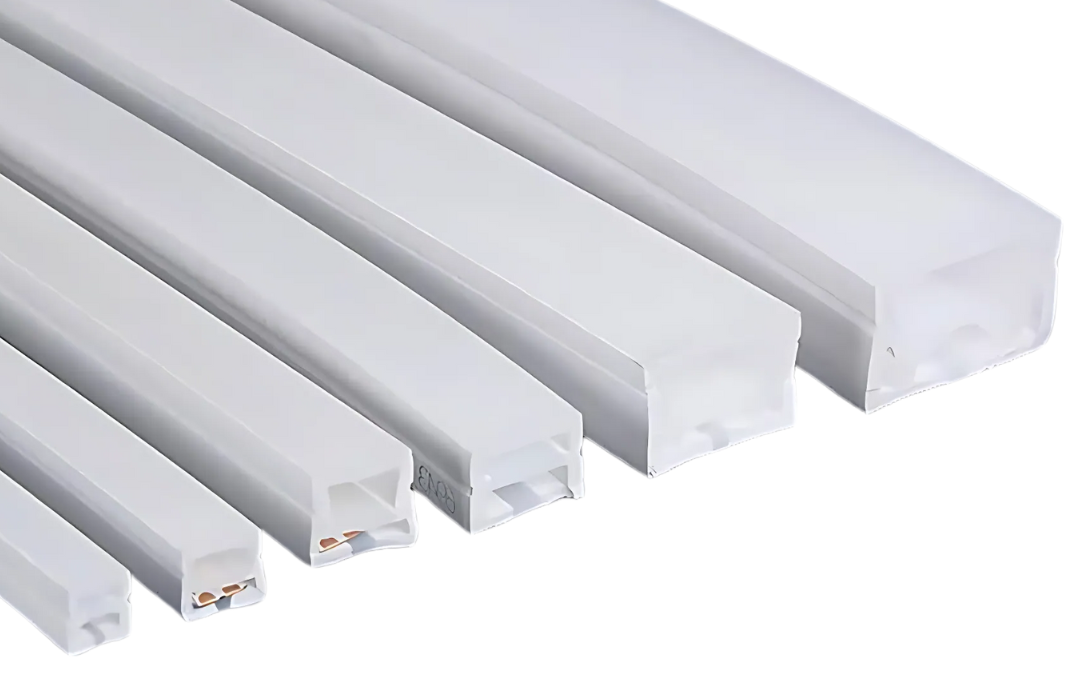
  • Aluminium or Silicone Channel Profile
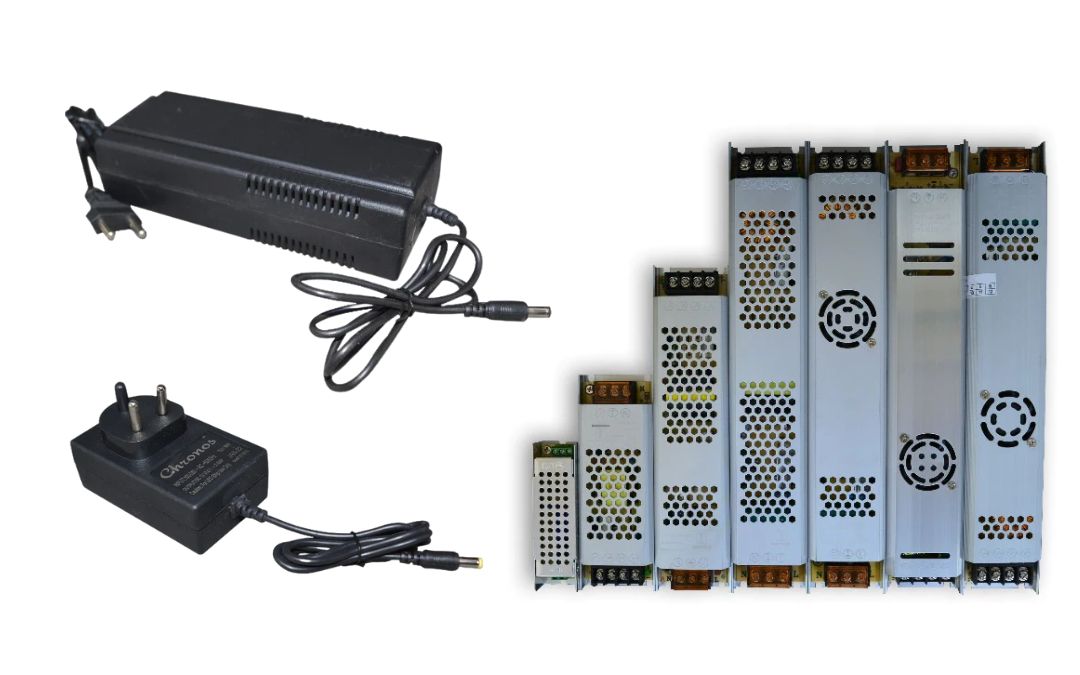
  • 12V / 24V Constant-Voltage Driver
  • Rotary or Touch Dimmer
Pro tip Mount the strip at least 30cm from the ceiling edge for the smoothest wash. Use 24V strips for runs over 5m to prevent voltage drop at the far end.
Shop COB Strip Lights

Under-Cabinet Lighting

Slim COB or SMD strips mounted under kitchen cabinets eliminate shadows on worktops, improve task lighting, and add a professional finish visible from across the room.

What you'll need:

  • Slim COB or 3528 SMD Strip (4000K for kitchens)
  • Aluminium Slim Profile with diffuser
  • 12V Driver — plug-in or hardwired
  • On/Off Switch or Smart Controller
Pro tip Neutral white (4000K) works best in kitchens — warm white can make food look yellow. Install the strip at the front edge of the cabinet, not the back.
Shop Slim Strip Lights

Bedroom Ambient Lighting

Warm white (2700K) strip lights behind headboards, under beds, and inside wardrobes create a layered, hotel-quality ambiance. Add dimming for perfect bedtime scenes.

What you'll need:

  • COB or CCT Strip Light — 2700K
  • Flexible Silicone Profile (for curved headboards)
  • Dimmable 12V Driver
  • Wall-mounted Dimmer or Smart Controller
Pro tip Use a CCT strip if you want both 2700K (sleep mode) and 4000K (reading mode) from the same strip. One driver, one installation, two completely different feels.
Shop Bedroom Lighting

Wall Washing & Grazing

Wall washers and strip lights mounted at low angles create dramatic up-lighting or texture-revealing grazing light on stone, brick, wood panelling, and fluted surfaces.

What you'll need:

  • Wide-Angle Wall Washer Strip (120° beam)
  • 24V Driver for longer wall runs
  • Aluminium Profile — surface or recessed
  • Optional: RGB or CCT for colour-changing scenes
Pro tip For grazing light on textured walls (stone, concrete, fluted panels), mount the strip 15–20cm from the wall surface. Closer = more dramatic texture. Further = softer wash.
Shop Wall Washers

Hospitality & Commercial

Hotels, restaurants, retail stores, and offices specify Chronos architectural strips for their CE/RoHS certifications, consistent CRI 90+ output, and long-run 24V reliability.

What you'll need:

  • 24V COB or High-CRI SMD Strip
  • IP-rated Driver for wet areas (IP67)
  • Profile with opal diffuser — no visible strip
  • Addressable controller for scene presets
Pro tip For commercial projects, always specify CRI 90+ minimum. Human skin, food, and merchandise all look noticeably better under high-CRI light — and your clients will notice.
Contact for Bulk Orders

Staircase & Step Lighting

Step-edge LED strips recessed into aluminium profiles illuminate each tread with precision, creating a safe, modern, and architectural feature from what is otherwise dead space.

What you'll need:

  • Slim COB Strip — 3000K recommended
  • Step-edge Recessed Aluminium Profile
  • 12V Driver (centralised for multiple steps)
  • Motion Sensor (optional — auto-on at night)
Pro tip Use a single 12V driver for the entire staircase run rather than individual drivers per step. Daisy-chain the strips in parallel to avoid voltage drop on long stairs.
Shop Slim Strip Lights

The most-requested architectural technique. COB strips mounted in a ceiling cove wash the surface with seamless, dot-free indirect light that makes any room feel taller and more luxurious.

What you'll need:

  • COB Strip Light — 2700K or 3000K
  • Aluminium or Silicone Channel Profile
  • 12V / 24V Constant-Voltage Driver
  • Rotary or Touch Dimmer
Pro tip Mount the strip at least 30cm from the ceiling edge for the smoothest wash. Use 24V strips for runs over 5m to prevent voltage drop at the far end.
Shop COB Strip Lights

Slim COB or SMD strips mounted under kitchen cabinets eliminate shadows on worktops, improve task lighting, and add a professional finish visible from across the room.

What you'll need:

  • Slim COB or 3528 SMD Strip (4000K for kitchens)
  • Aluminium Slim Profile with diffuser
  • 12V Driver — plug-in or hardwired
  • On/Off Switch or Smart Controller
Pro tip Neutral white (4000K) works best in kitchens — warm white can make food look yellow. Install the strip at the front edge of the cabinet, not the back.
Shop Slim Strip Lights

Warm white (2700K) strip lights behind headboards, under beds, and inside wardrobes create a layered, hotel-quality ambiance. Add dimming for perfect bedtime scenes.

What you'll need:

  • COB or CCT Strip Light — 2700K
  • Flexible Silicone Profile (for curved headboards)
  • Dimmable 12V Driver
  • Wall-mounted Dimmer or Smart Controller
Pro tip Use a CCT strip if you want both 2700K (sleep mode) and 4000K (reading mode) from the same strip. One driver, one installation, two completely different feels.
Shop Bedroom Lighting

Wall washers and strip lights mounted at low angles create dramatic up-lighting or texture-revealing grazing light on stone, brick, wood panelling, and fluted surfaces.

What you'll need:

  • Wide-Angle Wall Washer Strip (120° beam)
  • 24V Driver for longer wall runs
  • Aluminium Profile — surface or recessed
  • Optional: RGB or CCT for colour-changing scenes
Pro tip For grazing light on textured walls (stone, concrete, fluted panels), mount the strip 15–20cm from the wall surface. Closer = more dramatic texture. Further = softer wash.
Shop Wall Washers

Hotels, restaurants, retail stores, and offices specify Chronos architectural strips for their CE/RoHS certifications, consistent CRI 90+ output, and long-run 24V reliability.

What you'll need:

  • 24V COB or High-CRI SMD Strip
  • IP-rated Driver for wet areas (IP67)
  • Profile with opal diffuser — no visible strip
  • Addressable controller for scene presets
Pro tip For commercial projects, always specify CRI 90+ minimum. Human skin, food, and merchandise all look noticeably better under high-CRI light — and your clients will notice.
Contact for Bulk Orders

Step-edge LED strips recessed into aluminium profiles illuminate each tread with precision, creating a safe, modern, and architectural feature from what is otherwise dead space.

What you'll need:

  • Slim COB Strip — 3000K recommended
  • Step-edge Recessed Aluminium Profile
  • 12V Driver (centralised for multiple steps)
  • Motion Sensor (optional — auto-on at night)
Pro tip Use a single 12V driver for the entire staircase run rather than individual drivers per step. Daisy-chain the strips in parallel to avoid voltage drop on long stairs.
Shop Slim Strip Lights
Design Like a Pro

The Three-Layer Lighting System

Every beautifully lit room uses the same three layers. Ambient sets the mood, Task lights where you work, Accent creates drama. Together they make a space feel complete.

Layer 1

Ambient Lighting

The base layer. Soft, indirect light that fills the room evenly — no harsh shadows, no bright spots. Usually installed in coves, cornices, or behind valances.

Best Chronos products:

  • COB Strip Light2700K–3000K for warm coves
  • Silicone Cove ProfileOpal diffuser, no hot spots
  • 24V LED DriverFor room-length runs
  • Dimmable ControllerEssential for ambient
2700K–3000K — warm and inviting
Mount the strip at least 30cm from the ceiling edge and use a dimmable driver — ambient lighting at 30–40% in the evening is the most requested setting by interior designers.

Layer 2

Task Lighting

Focused, functional light directed at where you work, read, cook, or apply makeup. Brighter and cooler than ambient — eliminates shadows on worktops and desks.

Best Chronos products:

  • Slim COB Strip3500K–4000K, sharp and clean
  • Under-Cabinet ProfileLow-profile, 7mm slim
  • 12V DriverPlug-in or hardwired
  • Inline Switch or Smart Dimmer
3500K–4000K — clean and productive
Place under-cabinet strips at the front edge of the cabinet, not the rear — front placement lights the worktop evenly. Rear placement creates a shadow exactly where you're working.
Layer 3

Accent Lighting

The drama layer. Highlights architectural features, artwork, shelves, and textured walls. Creates depth and visual interest — the difference between a functional room and a designed one.

Best Chronos products:

  • Wall Washer StripWide beam for feature walls
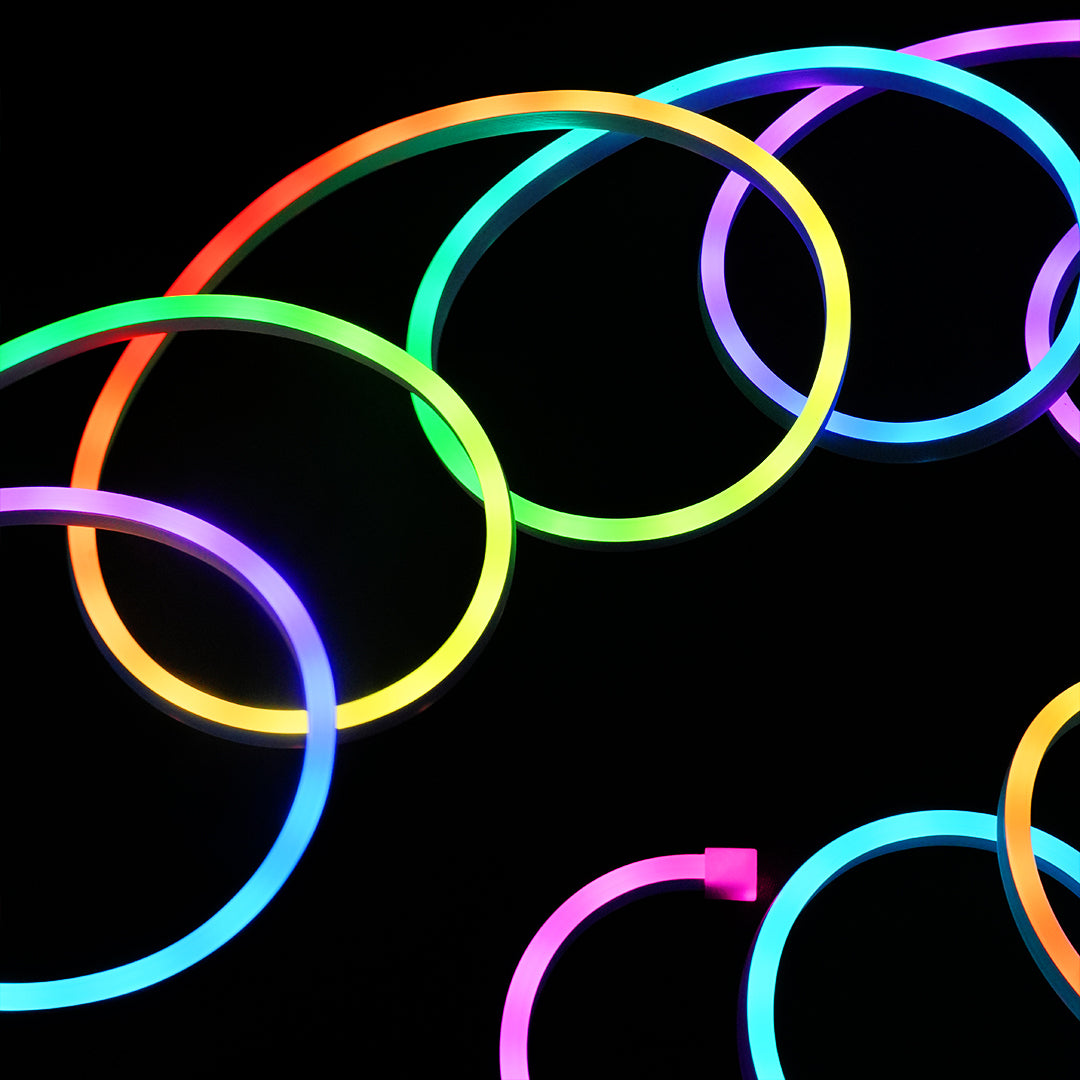
  • RGB or RGBIC StripColour-changing shelf lighting
  • Neon FlexStatement alcoves and niches
  • COB Strip 2700KWarm highlight for art
2700K warm or RGB for colour scenes
Accent lighting should be at most 3× brighter than your ambient layer, or it looks garish rather than dramatic. Use a dimmer on all three layers — the ability to balance them is everything.

See the Three Layers in Every Room

Select a room to see the full recommended lighting system.

Living Room lighting system

Ambient

COB cove strip, 2700K, dimmed to 40% for evenings — the warm ceiling wash that defines the room's character.

Task

Slim COB under floating shelves, 4000K — lights reading areas and displays without overpowering the ambient layer.

Accent

Wall washer grazing the feature wall at floor level, 2700K — reveals stone or wood texture and adds the 'hotel' depth.

What you'll need for this room:

  • COB Strip 2700K — 8m for cove
  • Silicone Recessed Profile + opal diffuser
  • 24V 100W Dimmable Driver
  • Slim COB 4000K — 3m for shelves
  • 12V 20W Driver
  • Wall Washer 2700K — 2m
  • RF Dimmer × 2
Shop Living Room Kit

Kitchen lighting system

Ambient

COB cove or recessed strip above cabinets, 3000K — fills the kitchen with warm, even base light without ceiling fixtures.

Task

Slim COB under wall cabinets, 4000K, front-edge mounted — clean, shadow-free worktop illumination for cooking.

Accent

RGB or CCT strip inside glass cabinets, 2700K — highlights glassware, crockery, and adds warmth to an otherwise functional space.

What you'll need for this room:

  • COB Strip 3000K — 5m for cove
  • Slim COB 4000K — 4m under cabinets
  • Slim Under-Cabinet Profile
  • 12V 36W Driver × 2
  • RGB Strip — 2m for cabinet interiors
  • Smart Controller (app + dimming)
Shop Kitchen Lighting

Bedroom lighting system

Ambient

COB strip in ceiling cove or behind headboard valance, 2700K — the softest warm ambient layer for relaxation and sleep.

Task

Slim CCT strip under floating bedside shelves or reading nook, tunable 2700–4000K — reading mode at 4000K, sleep mode at 2700K.

Accent

Strip inside wardrobe, 3000K, motion-activated — and a floor-level strip behind the bed base for a floating-bed effect.

What you'll need for this room:

  • COB Strip 2700K — 6m for cove
  • CCT Tunable Strip — 2m per bedside shelf
  • 12V 20W Driver × 2
  • Touch Dimmer with CCT control
  • Slim Strip 3000K — 3m for wardrobe
  • Motion Sensor (wardrobe)
Shop Bedroom Lighting

Dining Room lighting system

Ambient

Warm 2700K cove strip above the ceiling perimeter — low, intimate ambient for dinner. Paired with a pendant above the table.

Task

No dedicated task layer needed — the pendant above the table serves this function.

Accent

Wall washer or neon flex in an alcove, RGB strip behind the bar or drinks trolley — sets the mood for entertaining.

What you'll need for this room:

  • COB Strip 2700K — 6m for cove
  • Silicone Profile + diffuser
  • 24V 60W Dimmable Driver
  • Wall Washer 2700K — 2m for accent
  • RF Scene Controller (preset moods)
Shop Dining Room Lighting

Home Office lighting system

Ambient

Neutral white COB cove, 4000K — bright, even ambient that keeps energy levels up during work hours.

Task

COB strip under monitor shelf or above desk, 4000K, CRI 90+ — accurate colour for design and detail work.

Accent

Bias lighting behind the monitor, tunable white — reduces eye strain and adds a designed aesthetic to the workspace.

What you'll need for this room:

  • COB Strip 4000K — 4m for cove
  • Slim COB 4000K CRI90+ — 1.5m desk strip
  • CCT Bias Light — 1m behind monitor
  • 12V 36W Driver
  • Smart Touch Dimmer with CCT
Shop Home Office Lighting

Ready to design your room with all three layers?

Shop the Full Collection
Buyer's Guide

Everything You Need to Know Before You Buy

Two questions we get asked most — answered clearly so you buy right the first time.

Part 1

COB vs SMD — Which Strip Is Right for You?

The two dominant LED strip technologies have different strengths. Choosing wrong means visible dots, hot spots, and a return.

Feature COB SMD
Glow type Dot-free continuous line Individual chips visible
Cove / recessed profiles ✓ Ideal ✗ Dots visible in diffuser
CRI (colour accuracy) 90–95+ typical 70–90 depending on grade
Colour options Warm · Neutral · Daylight · CCT RGB · RGBIC · Single colour
Lumen output High density per metre Very high (esp. 5630 / 2835)
Cost Slightly higher Budget to premium range
Best for Coves · Profiles · Linear architecture RGB accent · Long runs · Feature lighting

Choose COB if…

  • You want a cove, cornice, or recessed channel look
  • The strip will be seen through a diffuser lens
  • You need high CRI for accurate colour rendering
  • The application is residential or hospitality

Choose SMD if…

  • You want colour-changing RGB or RGBIC effects
  • The strip is hidden and the light output matters most
  • You're covering a long run on a tighter budget
  • The application is accent, gaming, or entertainment
Part 2

Which Colour Temperature for Which Room?

Colour temperature (Kelvin) changes how a space feels more than any other single factor. Pick wrong and the whole room feels off.

2700K

Warm White

Cosy · Relaxing · Intimate

Use in

Living rooms, bedrooms, dining rooms, lounge bars, hospitality coves

Avoid in

Kitchens, study rooms, bathrooms

Shop 2700K Strips

3000K

Soft White

Warm · Welcoming · Residential

Use in

General residential use, hotel lobbies, retail clothing, cove lighting

Avoid in

Clinical or task-heavy spaces

Shop 3000K Strips

4000K

Neutral White

Clean · Productive · Balanced

Use in

Kitchens, bathrooms, offices, retail, showrooms

Avoid in

Bedrooms where you want to relax

Shop 4000K Strips

5000K

Cool White

Crisp · Alert · Clinical

Use in

Commercial offices, hospitals, garages, workshops, display lighting

Avoid in

Anywhere you want warmth or intimacy

Shop 5000K Strips

6500K

Daylight

Bright · Harsh · Industrial

Use in

Photography, art studios, utility spaces, signage

Avoid in

Residential and hospitality — almost always too harsh

Shop 6500K Strips

CCT

Tunable

Flexible · Smart · Best of both

Use in

Any room where needs change: home office, living room, kitchen

Avoid in

Spaces with a single fixed purpose

Shop CCT Strips

12V vs 24V — Quick Rule

Use 12V for runs under 5 metres. Use 24V for runs over 5 metres — it maintains brightness at the far end without voltage drop. Mixing voltages in one system causes flicker and uneven light.

Why Chronos

Chronos vs Generic LED Strips — What You're Actually Buying

The price difference between Chronos and generic strips is ₹50–100 per metre. The performance, reliability, and support difference is enormous.

Feature
★ Recommended Chronos Lights
Generic / Unbranded
CRI (Colour Accuracy) CRI 90–95 · consistent across batches CRI 70–80 · varies between batches
Chip technology COB (dot-free) and high-grade SMD Mixed — often lower-bin COB or SMD
Certifications CE certified · RoHS compliant Typically uncertified · no documentation
Voltage options 12V and 24V — matched drivers available 12V only in most cases
Max continuous run 24V strips up to 10m per run Voltage drop visible beyond 3–4m
Warranty 2 years on all strip lights No warranty or 30 days maximum
After-sales support Dedicated team · WhatsApp + email No dedicated support
Batch colour consistency Same MacAdam ellipse from batch to batch Visible colour mismatch between rolls
Lumen output accuracy ±5% tolerance — what we list is what you get ±20% common — brightness unreliable
Returns policy 90-day hassle-free returns No return policy in most cases
Available in India Ships from Mumbai — 2–5 days across India May ship from China — 2–4 weeks
Free Tool

LED Driver & Power Calculator

Tell us your strip specs and run length — we'll tell you exactly which driver to buy, how many you need, and flag any installation risks.

What voltage is your LED strip?

💡 Not sure? Check the label on your strip or the product page — it's always listed.

What is the wattage per metre of your strip?

💡 Find the W/m on the product page or the roll label. Common options: 4.8W, 7.2W, 9.6W, 14.4W, 20W per metre.

Total length of strip in your installation (metres)

metres

💡 Measure the total length of all strip runs combined. Runs in parallel share one driver; runs in series share one circuit.

How many separate runs / zones?

How is this calculated?
1
Total strip load

Strip W/m × Total metres = Load in watts

e.g. 10 W/m × 5m = 50W
2
Add 20% safety headroom

Load × 1.2 = Minimum driver wattage

e.g. 50W × 1.2 = 60W driver minimum
3
Single run limit

For 12V: max 5m per driver · For 24V: max 10m per driver

Longer runs need additional drivers or higher voltage
4
Number of drivers

Based on run length limits and total wattage — whichever demands more drivers wins

Always round up, never down
Installation Guide

How to Install Architectural LED Lighting

Step-by-step guides for the most common installations — no electrician required for basic setups. Follow along and your room will be transformed in an afternoon.

Difficulty: Beginner-friendly
Time: 2–3 hours
Skill level: No electrician required
Tools: Tape measure, drill, scissors

What you'll need

  • COB Strip Light2700K or 3000K, choose your run length
  • Aluminium Recessed ProfileWith opal diffuser + end caps
  • 24V LED DriverW/m × metres × 1.2 = minimum wattage
  • Dimmable Controller or RF Dimmer
  • Measuring tape + pencil
  • Scissors or dedicated strip cutter
  • Cleaning cloth + isopropyl alcohol
Shop these products
  1. Measure and calculate

    Measure the total perimeter of your ceiling cove in metres. Multiply by the strip wattage per metre to get your load, then multiply by 1.2 for safety headroom — this is your minimum driver wattage.

    Example: 8m cove × 10W/m = 80W load × 1.2 = 96W minimum driver. Choose the next standard size up — a 100W driver.

    • Tape measure
    • calculator
    Measure all four walls separately even in rectangular rooms — coves often have recessed sections or columns that change the run length.
  2. Clean and prepare the surface

    Wipe the inside of the cove channel with isopropyl alcohol and a lint-free cloth. Remove all dust, grease, and paint residue. Allow to dry completely — 5 minutes minimum.

    The 3M adhesive on the strip and the mounting clips for the profile both rely on a clean, dust-free surface. Skipping this step is the leading cause of strips peeling within weeks.

    • Isopropyl alcohol
    • lint-free cloth
    If the cove surface is painted with a matte or chalky finish, use profile mounting clips rather than relying on the adhesive alone — matte paint does not bond reliably.
  3. Mount the aluminium profile

    Cut the aluminium profile to length with a mitre saw or hacksaw. For corners, cut at 45° for a clean mitre joint — or use corner connector clips. Mount the profile with the provided screws or adhesive tape at 30cm intervals.

    The profile should sit with its opening facing the ceiling. The strip mounts inside and the opal diffuser clips into the front opening.

    • Hacksaw or mitre saw
    • drill
    • screws
    • level
    Check the profile is level before screwing down. A spirit level takes 30 seconds and prevents a visibly uneven light line across the room.
  4. Cut and install the LED strip

    Cut the strip only at the marked cut lines — every 50mm to 100mm depending on the strip type. Cutting between marks destroys that section. Use scissors for clean cuts — do not bend and snap.

    Peel the 3M backing and press the strip firmly into the profile channel. Hold for 10 seconds at each section. For runs over 5m, start from the driver end and work outward.

    • Scissors
    • clean hands
    Leave 15–20cm of bare wire at the driver end for connection. Do not pull the strip by the wire — always handle by the PCB.
  5. Connect to the driver

    Connect the strip's positive (red or marked +) wire to the driver's V+ output terminal, and the negative (black or marked −) to V−. If running multiple strips in parallel, connect all + wires to V+ and all − wires to V−.

    Connect the driver's AC input to your mains supply. For a fixed installation, this should be done by a qualified electrician. For plug-in drivers, connect directly to the mains socket.

    • Screwdriver
    • wire stripper
    Label your wires before connecting if running more than two strips — it is easy to confuse polarity when multiple wires enter the same terminal block.
  6. Test before closing

    Power on the driver and test the full run before fitting the diffuser or making any permanent fixings. Check for:

    • Even brightness along the full length — a dim section near the far end indicates voltage drop, likely needing a 24V upgrade or a second driver
    • Uniform colour temperature — inconsistent colour suggests a polarity issue or a faulty section
    • No flickering — flicker at startup usually means an undersized driver; at full brightness it may indicate a loose connection

    • None
    Dim to 30% and look at the ceiling — hot spots or visible dots are much more apparent at low brightness and should be resolved before the diffuser goes on.
  7. Fit the diffuser and finish

    Clip the opal diffuser cover into the profile channel. Press firmly along the full length until it clicks securely. Fit end caps to close open profile ends.

    Set your preferred scene on the dimmer — 30–40% brightness in the evening produces the classic warm cove effect seen in luxury hotels. The room transformation is complete.

    • End caps
    • dimmer remote
    Take a photo of the wiring and driver placement before closing everything up. You'll be glad you have it if you ever need to service or extend the installation.
Shop Cove Lighting

Free shipping above ₹999 · Delivered in 2–5 days

Difficulty: Easy
Time: 1 hour
Skill level: No tools required for plug-in
Tools: Scissors, cloth

What you'll need

  • Slim COB Strip4000K, measure cabinet width(s)
  • Slim Under-Cabinet ProfileLow-profile 7mm
  • 12V Plug-in Driverwattage = W/m × metres × 1.2
  • Inline On/Off Switch (optional)
Shop these products
  1. Measure and calculate

    Measure the total perimeter of your ceiling cove in metres. Multiply by the strip wattage per metre to get your load, then multiply by 1.2 for safety headroom — this is your minimum driver wattage.

    Example: 8m cove × 10W/m = 80W load × 1.2 = 96W minimum driver. Choose the next standard size up — a 100W driver.

    • Tape measure
    • calculator
    Measure all four walls separately even in rectangular rooms — coves often have recessed sections or columns that change the run length.
  2. Clean and prepare the surface

    Wipe the inside of the cove channel with isopropyl alcohol and a lint-free cloth. Remove all dust, grease, and paint residue. Allow to dry completely — 5 minutes minimum.

    The 3M adhesive on the strip and the mounting clips for the profile both rely on a clean, dust-free surface. Skipping this step is the leading cause of strips peeling within weeks.

    • Isopropyl alcohol
    • lint-free cloth
    If the cove surface is painted with a matte or chalky finish, use profile mounting clips rather than relying on the adhesive alone — matte paint does not bond reliably.
  3. Mount the aluminium profile

    Cut the aluminium profile to length with a mitre saw or hacksaw. For corners, cut at 45° for a clean mitre joint — or use corner connector clips. Mount the profile with the provided screws or adhesive tape at 30cm intervals.

    The profile should sit with its opening facing the ceiling. The strip mounts inside and the opal diffuser clips into the front opening.

    • Hacksaw or mitre saw
    • drill
    • screws
    • level
    Check the profile is level before screwing down. A spirit level takes 30 seconds and prevents a visibly uneven light line across the room.
  4. Cut and install the LED strip

    Cut the strip only at the marked cut lines — every 50mm to 100mm depending on the strip type. Cutting between marks destroys that section. Use scissors for clean cuts — do not bend and snap.

    Peel the 3M backing and press the strip firmly into the profile channel. Hold for 10 seconds at each section. For runs over 5m, start from the driver end and work outward.

    • Scissors
    • clean hands
    Leave 15–20cm of bare wire at the driver end for connection. Do not pull the strip by the wire — always handle by the PCB.
  5. Connect to the driver

    Connect the strip's positive (red or marked +) wire to the driver's V+ output terminal, and the negative (black or marked −) to V−. If running multiple strips in parallel, connect all + wires to V+ and all − wires to V−.

    Connect the driver's AC input to your mains supply. For a fixed installation, this should be done by a qualified electrician. For plug-in drivers, connect directly to the mains socket.

    • Screwdriver
    • wire stripper
    Label your wires before connecting if running more than two strips — it is easy to confuse polarity when multiple wires enter the same terminal block.
  6. Test before closing

    Power on the driver and test the full run before fitting the diffuser or making any permanent fixings. Check for:

    • Even brightness along the full length — a dim section near the far end indicates voltage drop, likely needing a 24V upgrade or a second driver
    • Uniform colour temperature — inconsistent colour suggests a polarity issue or a faulty section
    • No flickering — flicker at startup usually means an undersized driver; at full brightness it may indicate a loose connection

    • None
    Dim to 30% and look at the ceiling — hot spots or visible dots are much more apparent at low brightness and should be resolved before the diffuser goes on.
  7. Fit the diffuser and finish

    Clip the opal diffuser cover into the profile channel. Press firmly along the full length until it clicks securely. Fit end caps to close open profile ends.

    Set your preferred scene on the dimmer — 30–40% brightness in the evening produces the classic warm cove effect seen in luxury hotels. The room transformation is complete.

    • End caps
    • dimmer remote
    Take a photo of the wiring and driver placement before closing everything up. You'll be glad you have it if you ever need to service or extend the installation.
Shop Kitchen Lighting

Plug-in kit — no electrician needed

Difficulty: Intermediate
Time: 2–4 hours
Skill level: Basic wiring experience helpful
Tools: Drill, screwdriver, wire stripper

What you'll need

  • Wall Washer Strip2700K or 3000K, 120° beam
  • Angled Surface Profile or Floor Track
  • 24V Driver45–60W for standard wall
  • RF Dimmer + Receiver
Shop these products
  1. Measure and calculate

    Measure the total perimeter of your ceiling cove in metres. Multiply by the strip wattage per metre to get your load, then multiply by 1.2 for safety headroom — this is your minimum driver wattage.

    Example: 8m cove × 10W/m = 80W load × 1.2 = 96W minimum driver. Choose the next standard size up — a 100W driver.

    • Tape measure
    • calculator
    Measure all four walls separately even in rectangular rooms — coves often have recessed sections or columns that change the run length.
  2. Clean and prepare the surface

    Wipe the inside of the cove channel with isopropyl alcohol and a lint-free cloth. Remove all dust, grease, and paint residue. Allow to dry completely — 5 minutes minimum.

    The 3M adhesive on the strip and the mounting clips for the profile both rely on a clean, dust-free surface. Skipping this step is the leading cause of strips peeling within weeks.

    • Isopropyl alcohol
    • lint-free cloth
    If the cove surface is painted with a matte or chalky finish, use profile mounting clips rather than relying on the adhesive alone — matte paint does not bond reliably.
  3. Mount the aluminium profile

    Cut the aluminium profile to length with a mitre saw or hacksaw. For corners, cut at 45° for a clean mitre joint — or use corner connector clips. Mount the profile with the provided screws or adhesive tape at 30cm intervals.

    The profile should sit with its opening facing the ceiling. The strip mounts inside and the opal diffuser clips into the front opening.

    • Hacksaw or mitre saw
    • drill
    • screws
    • level
    Check the profile is level before screwing down. A spirit level takes 30 seconds and prevents a visibly uneven light line across the room.
  4. Cut and install the LED strip

    Cut the strip only at the marked cut lines — every 50mm to 100mm depending on the strip type. Cutting between marks destroys that section. Use scissors for clean cuts — do not bend and snap.

    Peel the 3M backing and press the strip firmly into the profile channel. Hold for 10 seconds at each section. For runs over 5m, start from the driver end and work outward.

    • Scissors
    • clean hands
    Leave 15–20cm of bare wire at the driver end for connection. Do not pull the strip by the wire — always handle by the PCB.
  5. Connect to the driver

    Connect the strip's positive (red or marked +) wire to the driver's V+ output terminal, and the negative (black or marked −) to V−. If running multiple strips in parallel, connect all + wires to V+ and all − wires to V−.

    Connect the driver's AC input to your mains supply. For a fixed installation, this should be done by a qualified electrician. For plug-in drivers, connect directly to the mains socket.

    • Screwdriver
    • wire stripper
    Label your wires before connecting if running more than two strips — it is easy to confuse polarity when multiple wires enter the same terminal block.
  6. Test before closing

    Power on the driver and test the full run before fitting the diffuser or making any permanent fixings. Check for:

    • Even brightness along the full length — a dim section near the far end indicates voltage drop, likely needing a 24V upgrade or a second driver
    • Uniform colour temperature — inconsistent colour suggests a polarity issue or a faulty section
    • No flickering — flicker at startup usually means an undersized driver; at full brightness it may indicate a loose connection

    • None
    Dim to 30% and look at the ceiling — hot spots or visible dots are much more apparent at low brightness and should be resolved before the diffuser goes on.
  7. Fit the diffuser and finish

    Clip the opal diffuser cover into the profile channel. Press firmly along the full length until it clicks securely. Fit end caps to close open profile ends.

    Set your preferred scene on the dimmer — 30–40% brightness in the evening produces the classic warm cove effect seen in luxury hotels. The room transformation is complete.

    • End caps
    • dimmer remote
    Take a photo of the wiring and driver placement before closing everything up. You'll be glad you have it if you ever need to service or extend the installation.
Shop Wall Washers

Free shipping above ₹999 · Delivered in 2–5 days across India

Complete Systems

Everything You Need, Curated by Application

Every kit includes the right strip, profile, driver, and controller for the job — no guesswork, no missing parts, no second order.

LED Strip
Profile / Channel
Driver / PSU
Controller
Complete System
  • Interior Favourite
    Residential

    Bedroom Ambient Kit

    Warm tunable white strips for headboards, under-bed, and wardrobe coves — switch between 2700K sleep mode and 4000K reading mode.

    What's in this system:

    • CCT Tunable Strip3m · 2700–4000K
    • Silicone Flexible ProfileBendable for curves
    • 12V Driver36W dimmable
    • Smart Touch DimmerColour temp + brightness
    • 12V
    • CCT Tunable
    • Dimmable
    • IP20
    From ₹1,899
  • Kitchen

    Under-Cabinet Kitchen Kit

    Slim COB strips in a low-profile aluminium channel — no visible strip, no hot spots, perfect task lighting under wall cabinets.

    What's in this system:

    • Slim COB Strip2m · 4000K · 5W/m
    • Slim Surface Profile7mm low-profile
    • 12V Driver20W plug-in
    • On/Off Inline SwitchIncluded
    • 12V
    • 4000K
    • CRI 90+
    • Plug-in
    From ₹1,299
  • Architect Pick
    Residential

    Feature Wall Wash Kit

    Wide-angle wall washer strip floods vertical surfaces with even, dramatic light — perfect for stone, fluted panels, and wooden feature walls.

    What's in this system:

    • Wall Washer Strip3m · 3000K · 120° beam
    • Surface Mount ProfileAngled 30° bracket
    • 24V Driver45W
    • RF Remote Dimmer0–100%
    • 24V
    • 120° Beam
    • CRI 90
    • Outdoor IP65
    From ₹2,199
  • Residential

    Staircase LED Kit

    Recessed step-edge profiles with slim COB strips for each tread — safe, modern, and architectural. One central driver for the whole staircase.

    What's in this system:

    • Slim COB Strip10m · 3000K · 5W/m
    • Step-Edge Recessed ProfilesPer step
    • 12V Driver60W centralised
    • Motion SensorAuto night mode
    • 12V
    • 3000K
    • Step-Edge
    • Motion Sensor
    From ₹3,499
  • Commercial Grade
    Commercial

    Hotel & Restaurant Pro Kit

    Commercial-grade 24V COB system with CE/RoHS certified drivers, IP-rated for wet areas, opal diffuser profiles — specifiable for hospitality projects.

    What's in this system:

    • COB Strip10m · 2700K · 14W/m · CRI 95
    • Opal Diffuser ProfilesFire-rated aluminium
    • 24V IP67 Driver150W waterproof
    • Addressable Scene ControllerApp + manual
    • 24V
    • CRI 95
    • CE Certified
    • IP67 Driver
    POA — Contact Us

Need a custom specification for a hotel, restaurant, or large residential project?

Shop Now

Trending This Week

Our most popular architectural lighting products — ready to ship.

    Why Chronos Lights

    Trusted by 100,000+ Customers Across India

    Architects and interior designers specify Chronos because our products are certified, consistent, and backed by people who know lighting.

    1,00,000+ Happy Customersacross India
    8+ Years in Businesssince 2016
    4.8★ Google Rating3,000+ reviews
    CRI 90+ Colour Accuracyon all COB strips
    50,000h LED Lifespanrated average
    2 Years Warrantyon all strips

    Certifications & Quality Standards

    CE Certified

    Meets European safety & EMC standards

    RoHS Compliant

    Free from hazardous substances

    IP20 Rated

    Protected against solid particles

    IP65 / IP67

    Waterproof rated for wet applications

    CRI 90+ Verified

    High colour accuracy for interiors

    2-Year Warranty

    Backed warranty on all strip lights

    What Our Customers Say

    4.8 on Google· 3,000+ reviews
    Liquid error (sections/iaal-chronos-trust line 155): comparison of Integer with String failedLiquid error (sections/iaal-chronos-trust line 155): comparison of Integer with String failedLiquid error (sections/iaal-chronos-trust line 155): comparison of Integer with String failedLiquid error (sections/iaal-chronos-trust line 155): comparison of Integer with String failedLiquid error (sections/iaal-chronos-trust line 155): comparison of Integer with String failed

    Specified Chronos COB strips and drivers for a 40-room boutique hotel project. CE certified, consistent batch colour, zero failures in 8 months.

    Rahul MehtaLighting Consultant, Delhi
    Verified
    Hotel · Commercial
    Liquid error (sections/iaal-chronos-trust line 155): comparison of Integer with String failedLiquid error (sections/iaal-chronos-trust line 155): comparison of Integer with String failedLiquid error (sections/iaal-chronos-trust line 155): comparison of Integer with String failedLiquid error (sections/iaal-chronos-trust line 155): comparison of Integer with String failedLiquid error (sections/iaal-chronos-trust line 155): comparison of Integer with String failed

    I was nervous buying architectural strips online but the power calculator on the site told me exactly what driver to order. Everything arrived correctly matched.

    Ananya KrishnanHomeowner, Bangalore
    Verified
    Residential Kitchen
    Free Shipping above ₹999
    2-Year Warranty on all strips
    90-Day Easy Returns
    Expert Support 7 days a week
    1,00,000+ Happy Customers
    Trade & Bulk Programme

    For Interior Designers, Architects & Bulk Buyers

    Exclusive trade pricing, dedicated project support, spec sheet downloads, and priority dispatch for qualifying professionals and bulk orders across India.

    Trade Pricing

    Exclusive discounts from 15–40% off retail

    Dedicated Manager

    A single point of contact for every project

    Spec Sheets

    CE/RoHS documents for specifications

    Free Samples

    Product samples for client presentations

    Priority Dispatch

    Same-day dispatch on bulk orders

    Batch Consistency

    Matched colour bins across large orders

    This programme is for:

    Interior Designers

    Description

    Architects

    Description

    Lighting Consultants

    Description

    Contractors

    Description

    Hospitality Developers

    Description

    Builders

    Description

    Retailers & Resellers

    Description

    Why Chronos for Commercial Projects?

    Architects and interior designers specify Chronos because our products are CE and RoHS certified, CRI 90+ across entire production batches, and available at the scale needed for large residential, hospitality, and commercial developments. Our trade team has supported over 500 commercial projects across India.

    500+ Commercial projects
    15–40% Trade discount
    4h Response time

    We've specified Chronos on 12 hotel projects. CE-certified, consistent CRI across batches, and the trade team turns around quotes the same day. That's rare in this market.

    Vikram NairPrincipal, Nair Associates — Lighting Consultants, Mumbai
    CE CertifiedRoHS CompliantCRI 90+IP20 / IP67BIS Registered2-Year Warranty

    Get Trade Pricing

    Fill in your details and our trade team will contact you within 4 hours on business days.

    No sales pressure. Our trade team reviews every enquiry personally and responds with a custom quote within 4 hours.

    FAQ

    Frequently Asked Questions

    Everything you need to know about architectural LED lighting — answered by our team.

    What is the difference between COB and SMD LED strip lights?

    COB (Chip-on-Board) strips pack hundreds of tiny chips into a continuous line, producing a smooth dot-free glow perfect for cove lighting and architectural profiles. SMD (Surface-Mount Device) strips have individual chips spaced apart — ideal for RGB colour effects and applications where the strip is fully hidden.

    For coves, under-cabinet lighting, or diffuser profiles: choose COB. For RGB accent and entertainment lighting: choose SMD.

    Shop COB Strip Lights

    Use this formula: Strip W/m × Total metres = Load (W). Then multiply by 1.2 to add a 20% safety headroom. The result is your minimum driver wattage.

    Example: 10W/m strip × 5m = 50W load × 1.2 = 60W driver minimum.

    For 12V strips, keep each run under 5m. For 24V strips, keep each run under 10m. Use our free Power Calculator on this page for an instant recommendation.

    Use the Power Calculator

    12V is suitable for runs up to 5 metres. It's the most common for small residential installations like under-cabinet lighting and bedroom headboards.

    24V is recommended for runs over 5 metres. It maintains even brightness across the full length without voltage drop, and is the standard for cove lighting, staircase installations, and commercial projects.

    Rule of thumb: if your run is longer than a single room wall, use 24V.

    2700K (Warm White) — bedrooms, living rooms, dining rooms, hospitality. Creates a cosy, relaxing atmosphere.

    3000K (Soft White) — general residential use, hotel lobbies. Warm but slightly brighter than 2700K.

    4000K (Neutral White) — kitchens, bathrooms, offices, retail. Clean and productive without being harsh.

    5000–6500K (Cool/Daylight) — commercial, workshops, photography studios. Too harsh for most residential spaces.

    If you want flexibility, our CCT Tunable strips let you switch between 2700K and 4000K from one controller.

    See Colour Temperature Guide

    A profile is strongly recommended for most applications. It serves three purposes:

    1. Heat dissipation — aluminium draws heat away from the LEDs, significantly extending lifespan.

    2. Diffusion — an opal diffuser cover eliminates visible dots and creates a clean linear glow.

    3. Protection and finish — profiles give a professional, finished look and protect the strip from damage.

    For cove lighting, cabinet lighting, and any visible installation, a profile is essential. For hidden or functional lighting (inside a cabinet, behind a plinth), you can install bare strip on a clean, dry surface.

    Shop Silicone Profiles

    Chronos LED strips are rated for 50,000 hours of use — approximately 17 years at 8 hours per day. All strips come with a 2-year warranty.

    Lifespan is maximised by: using an aluminium profile for heat management, using a correctly-sized driver (never underspec), and keeping the installation dry (or using the appropriate IP-rated strip for wet areas).

    IP (Ingress Protection) rating indicates resistance to dust and water:

    IP20 — indoor use only, no moisture exposure. Suitable for dry coves, cabinets, and shelves.

    IP44 — splash resistant. Suitable for kitchens and bathrooms (not directly above the sink/shower).

    IP65 — dust-tight and water-jet resistant. Suitable for outdoor under-eave, garden, and commercial wet areas.

    IP67 — fully waterproof for temporary submersion. For pool edges, fountains, and wet commercial applications.

    Yes — all Chronos LED strips can be cut at marked cut points, typically every 50mm to 100mm depending on the strip type. Always cut only at the marked lines — cutting between cut points will damage the circuit and result in a section that does not light.

    After cutting, use a solder-free push-in connector or solder wires to reconnect multiple segments or to connect to your driver. We stock compatible connectors for all our strip widths.

    Shop Connectors & Accessories

    CRI (Colour Rendering Index) measures how accurately a light source renders colours compared to natural sunlight, on a scale of 0–100.

    CRI 70–79 — basic commercial quality. Colours look slightly washed or flat.

    CRI 80–89 — good general residential quality.

    CRI 90–95 — high-fidelity rendering. Human skin, food, fabrics, and artwork all look significantly better. Used in hospitality, retail, and premium residential projects.

    All Chronos COB strips are rated CRI 90+. For kitchens, dining spaces, and anywhere appearance matters, CRI 90+ is the minimum we recommend.

    Connect multiple runs in parallel — all positive (+) wires go to the driver's + terminal, all negative (−) wires go to the driver's − terminal.

    Never wire in series (daisy-chaining end-to-end) — this doubles the voltage each strip receives and will cause immediate failure or uneven brightness.

    Check that the total wattage of all runs combined does not exceed 80% of your driver's rated capacity (20% headroom). Use our Power Calculator to verify.

    Yes. Chronos architectural strip lights carry CE and RoHS certifications, meeting European safety and hazardous-substance standards. Our waterproof drivers are IP67 rated and suitable for commercial wet areas.

    For large-scale hospitality (hotels, restaurants) and commercial projects, we offer bulk pricing, project support, and documentation for specification. Contact our commercial team for more details.

    Contact Commercial Team

    A dimmable driver supports PWM (Pulse Width Modulation) or 0–10V dimming, allowing you to reduce brightness via a wall dimmer, RF remote, or smart controller. This is strongly recommended for living rooms, bedrooms, and hospitality spaces.

    A non-dimmable driver provides only full-brightness output — suitable for utility areas like garages, storerooms, and under-cabinet task lighting where you don't need scene control.

    Note: using a non-dimmable driver with a dimmer switch will cause flickering or damage. Always match your driver to your control method.

    Shop Dimmable Drivers

    For a professional cove result:

    1. Mount the strip at least 25–30cm from the ceiling edge — closer creates visible hot spots; further creates a smoother wash.

    2. Use a COB strip (not SMD) for dot-free output.

    3. Install inside an aluminium recessed profile with an opal diffuser — this creates the clean linear glow you see in hotels.

    4. Use 24V for room-length runs to prevent brightness drop at the far end.

    5. Add a dimmable driver — cove lighting at 30–40% brightness in the evening is the most-loved interior lighting effect.

    Shop Cove Lighting Products

    Yes — free shipping on all orders above ₹999 across India. Orders are dispatched within 1–2 business days and typically arrive in 3–5 days depending on your location.

    We offer a 90-day return policy on unused, unopened items. All strip lights carry a 2-year warranty against manufacturing defects. If you receive a faulty product, contact us and we'll replace it.

    View Shipping & Returns Policy

    Absolutely. Our lighting team is available 7 days a week via WhatsApp and email. Share your room dimensions, application (cove, kitchen, bedroom, etc.), and any photos — we'll recommend the right strip type, Kelvin, driver wattage, and profile within a few hours.

    For large residential, commercial, or hospitality projects, we offer a dedicated project consultation service with full product specification support.

    Chat on WhatsApp

    Still have a question? Our lighting experts reply within 2 hours.